skip to main |
skip to sidebar
This week we got to grips with making and expanding our own Arduino code.
We were given some resources (switches, wire, resistor), and got into groups (resources were low again). We then made an Arduino setup with the switch and resistor so that when the switch is pressed, and the Arduino receives an input signal, an LED turns on.
After we had finished this simple setup (using a piece of code already in the example library), we then added another LED, switch and resistor to the circuit and expanded the code to include them so that when the other switch was pressed, that would turn on the other LED.
Here is the code:
int ledPin = 13; // choose the pin for the LED
int ledPinb = 12;
int inputPin = 2; // choose the input pin (for a pushbutton)
int inputPinb = 3;
int val = 0; // variable for reading the pin status
void setup() {
pinMode(ledPin, OUTPUT); // declare LED as output
pinMode(ledPinb, OUTPUT);
pinMode(inputPin, INPUT); // declare pushbutton as input
pinMode(inputPinb, INPUT);
}
void loop(){
val = digitalRead(inputPin); // read input value
val = digitalRead(inputPinb);
if (val == HIGH) { // check if the input is HIGH
digitalWrite(ledPin, LOW); // turn LED OFF
} else {
digitalWrite(ledPin, HIGH); // turn LED ON
}
if (val == HIGH) { // check if the input is HIGH
digitalWrite(ledPinb, LOW); // turn LED OFF
} else {
digitalWrite(ledPinb, HIGH); // turn LED ON
}
}
Here are some pictures of the first circuit...

 Here is a picture of the second circuit...
 Here is a video of the second circuit...After having to modify existing code to adapt to my needs I feel far more confident in making physical interfaces. Now I feel I need to look at current developments in mainstream public interfaces to see how developers are pushing forward the current technology.
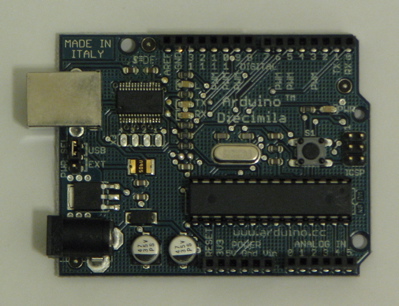
This week we were properly introduced to the Arduino technology that was mentioned last week. Over the course of last week and this week we were expected to purchase, and set up our Arduino boards with a simple program that loops a blinking LED on the board.
In this week's workshop we explored what adding extra components to the Arduino can offer as an interface.
We were given some basic components (single core wires, potentiometer) and shown some basic code on how to read serial signals from the Arduino. Because resources were low, some of us worked in a group. We were then told to experiment with how the potentiometer changes the voltages of its output and told to think how this could be used. After completing the initial experiment, we started to think how the code could be influenced by the changing values of the potentiometer.
After some trial and error, and some studying of the example programs, we managed to edit the first simple piece of code we used as a test (a blinking LED), into a simple interactive artifact.
int potPin = 2; // select the input pin for the potentiometer
int ledPin = 13; // select the pin for the LED
int val = 0; // variable to store the value coming from the sensor
void setup() {
pinMode(ledPin, OUTPUT); // declare the ledPin as an OUTPUT
Serial.begin(9600);
}
void loop() {
val = analogRead(potPin); // read the value from the sensor
digitalWrite(ledPin, HIGH); // turn the ledPin on
delay(val+100); // stop the program for some time
digitalWrite(ledPin, LOW); // turn the ledPin off
delay(val+100); // stop the program for some time
Serial.println(val); //print value of the pin
}
This code only has an extra few lines in, but does so much more when the components are wired correctly.
Video of demonstration and explanation...
... and here are some pictures...

 After undertaking this exercise, I feel I have a wider knowledge of what hardware, and physical presence interfaces have. I also have a better understanding on how interfaces cover every aspect of life, and not just in computer software or hardware.
It will be interesting to see what has been done using Arduino technology, and if there would be any limit to its implementations.
We were introduced to the module and told what we were to expect and learn as we went along. At this point it seems good to get an overview of the idea of Human Computer Interaction (HCI), and some of its characteristics.
The way humans interface with computers is constantly changing.
Technologies are becoming smaller and more efficient, new standards are getting introduced, and less and less components are needed.
Software and computer output development often shadow the hardware development. Developers are always looking to push interfaces that bit further and either make things simpler for the user, or add more abilities.
A very uncommon development (and certainly not as well-known) is the development in creating new kinds of ways to interact. This development often uses exsisting or older technology to do what we take for granted in new and exciting ways.
It is a shame these new innovative implementations hardly ever see much of the light of day, but this is to be expected because of how the public do not like to venture too much from hardware standards.
However there is good news because hardware is becoming so much cheaper, more developers are able to experiment and invent new ways to interface with computers.